Find New Opportunities
- SAMSearch - Find opportunities posted on SAM.gov
- Enhanced filter criteria
- Daily email notifications
- Notifications when posting is updated
- Shared Bid Calander
- Proposals Pending Awards
- Bid History


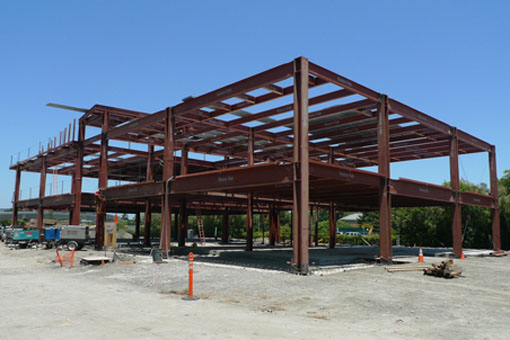
An integrated solution for managing your construction business
Adiona is a cloud based construction management system designed for small business contractors competing for construction projects. The system is organized as a collection of modules to automate and improve your processes and is tailored to meet the requirements of the federal construction marketplace. Adiona includes unlimited users and encourages collaboration with your entire team.
Adiona allows your business to find new opportunities and track them from initial posting, through proposal preparation and award, and lets you manage project execution from NTP to completion.
The process starts with the Opportunities module. Here you will find our SAMSearch tool, which provides an easy way to search and track opportunities posted on SAM.gov. Opportunities of interest can be saved to the Qualified Leads page to be evaluated by your team, and once selected to bid they can be moved to the Bid Calendar to track the deliverables required for your proposal. Once submitted, opportunities move to the Pending Proposals page until the project is awarded.
Once awarded, projects can be made active in the Execution module and are shared with your whole team. Project managers can coordinate communications with owners, architects, subcontractors, and field staff.
Project cost tracking integrates information from your accounting system, tracks changes, and helps identify budget risks and overall financial performance.
Adiona also features a Compliance module to ensure your business is meeting all contracting and reporting requirements and can help you manage your compliance documents, Lien Waivers, and Certified Payroll documents and track their status through the life cycle of the project.
In the Business module, business owners can monitor financial performance of each active project and how all projects are contributing to the overall business goals. Cost detail can be imported from your accounting system and is available to help analyze financial performance and project cost-to-complete for each project. WIP schedules can be produced for active and completed projects. Key Performance Indicators helps you monitor the health of your business.
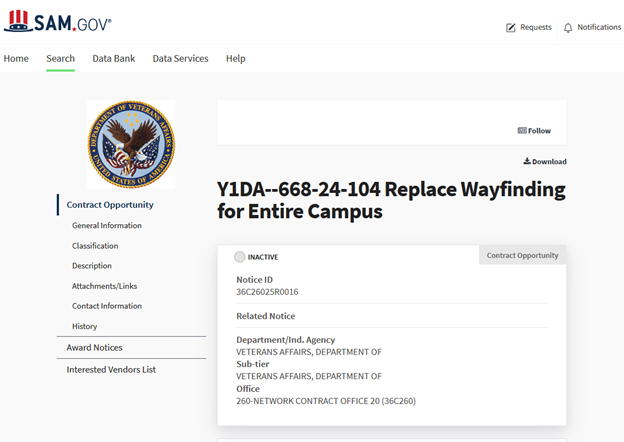
Federal contracting opportunities are usually posted on SAM.gov. Our SAMSearch tool lets you define the types of projects that are of interest to your company. You get daily notifications when a project is posted that meets the criteria you have established.
Projects that you want to consider bidding can be saved as a "Qualified Lead" for tracking and to provide visibility to everyone on your bidding team. You will be notified when a revision is posted as the project moves from Sources Sought to Pre-Solicitation to Solication and any time an amendment is published.
When you find a project you want to bid, it moves to the "Bid Calendar". The Bid Calendar is an easy way to see key deadlines such as the proposal due date, site visit date and other basic requirements for those proposals. This is a good time to review the proposal requirements such as the bid bond , and to assign a lead and a bid number. The bars on the right side of each project are color coded to let you know when a bid date is approaching. As your team puts together proposals, each member can update the status of certain requirements, such as whether a bid bond was acquired, or the proposal or price schedule is completed. When projects are marked as Bid, they will stay on the Bid Calendar until their status is changed. If amendments are issued for a project, it is easy to change the date in order to keep the opportunity on the calendar. You can also enter notes about the opportunity at any time in the process to have a record of changes made. When the project status is marked as Submitted, it moves to the Pending Proposal page.
Once submitted, you can update the dollar amount that your company offered, and this will update in the total count of outstanding offers at the top of the page. The opportunity will remain on this page until an award is made, the project is cancelled, or the solicitation is protested. If you are awarded the project, you can change the status to “Awarded to Us” and this will move the opportunity to the Active Projects page. If the project was awarded to a competitor,you change the status to awarded, add a note in the details which firm received the award, and the opportunity will move to the Bid History. You can also enter the final bid amount once submitted.
All opportunities can be found at any stage in the process in the Bid History page. This includes projects marked as new, bid, no bid, submitted, or any of the other status options. You can search your bid history by setting parameters to filter opportunities based on response dates and bid status, as well as filtering by set aside and solicitation type.

Adiona provides a number of tools to help Project Managers during the lifetime of a project. Many of the tools are AI enabled to improve the productivity of the PM and field staff.
The project manager is responsible for delivering the project on time, within budget, and in compliance with the contract requirements. This begins with a thorough understanding of the contract documents—drawings, specifications, scope of work, schedule, and applicable regulatory requirements. We use AI to analyze the specifications and drawings to give the project managers insight to the project details. The specification analysis generates a scope of work, submittal log, compliance requirements, a test and inspection register, warranty requirements, closeout requirements an attic stoc register and more.
The drawings are analyzed with AI to create a summary of the drawing package. You have access to the individual drawings and summary schedules for windows and doors including a "Where used" index with links to the drawing details.
Financial management is one of the most critical responsibilities of the project manager. The PM develops and maintains the project budget, tracks costs, manages subcontract commitments, and continuously forecasts the estimated cost to complete. In a small business, the accuracy of these forecasts directly impacts company profitability, working capital, and bonding capacity. The project manager must ensure that billing aligns with progress, manage subcontractor payment applications, collect lien waivers, and protect project cash flow. Regular review of job cost reports and participation in Work in Progress (WIP) evaluations are essential parts of this role.
Project closeout is another critical phase under the project manager’s leadership. This includes completing punch list items, collecting final lien waivers, ensuring compliance documentation is submitted, reconciling final costs, and securing final payment. A well-managed closeout strengthens client relationships and positions the company for future opportunities.
Adiona provides access to the information the Project Maager and construction team needs to complete the project sucessfully.
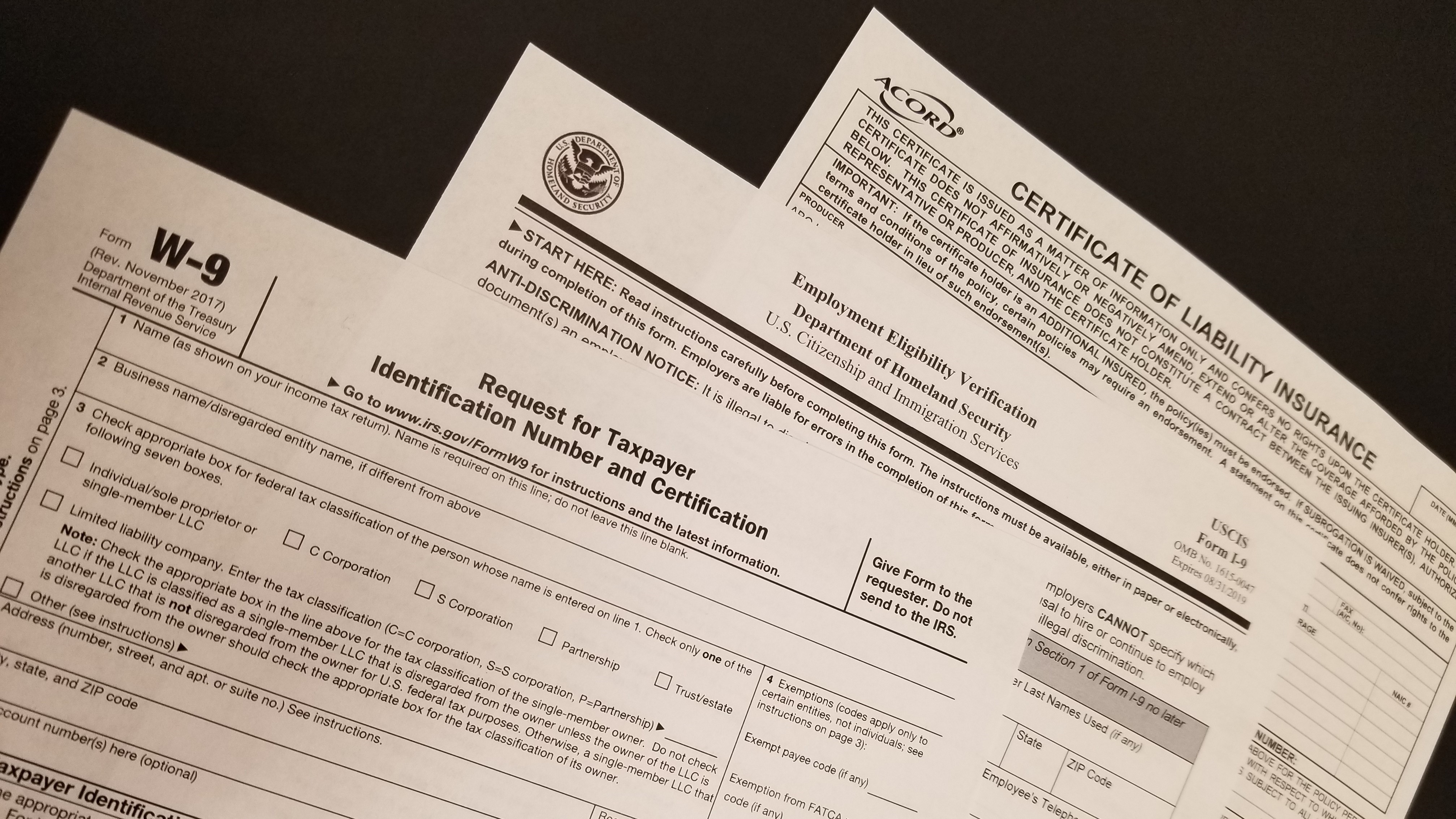
The compliance module allows you to manage subcontractor compliance documents that are either flow-down requirements of the prime contract and/or specific compliance requirements unique to your firm. Such items might include executed subcontracts, insurance certificates, W9, E-Verify, and SF1413 forms. A default list of compliance items is provided as a starting point and will meet the needs of most contractors. You can customize the compliance items as needed to meet your specific requirements.
All compliance information is organized by project and you will need to specify the items that you need to track. You can easily modify the defaults to remove items that you don’t need or add items that are not included in the default list. Each item can be supplied with a default status and can include expiration notifications for items that may expire during the course of the project.
Next, you will need to identify the subcontractors or suppliers that are involved with the project. They must be entered into the Contacts module before they can be added to the Compliance list. When a subcontractor is added, each item is set to the default value you specified during the item setup process. When the initial set up is complete, you can start to manage the compliance items for each sub. The status of each item is indicated by an icon. The meaning of the icon is indicated in the Keys section at the bottom of the screen. Items that expire will change as the expiration date approaches. Email notifications will automatically be sent based on the criteria you specified earlier. Documents can be attached to each item as needed. You can view the document by clicking on the icon while in Preview mode.
Lien Waivers
Adiona's Lien Waiver feature allows you to track subcontractore, their subcontractors and suppliers including invoices and waicers throughout the project life cycle.
Certified Payroll
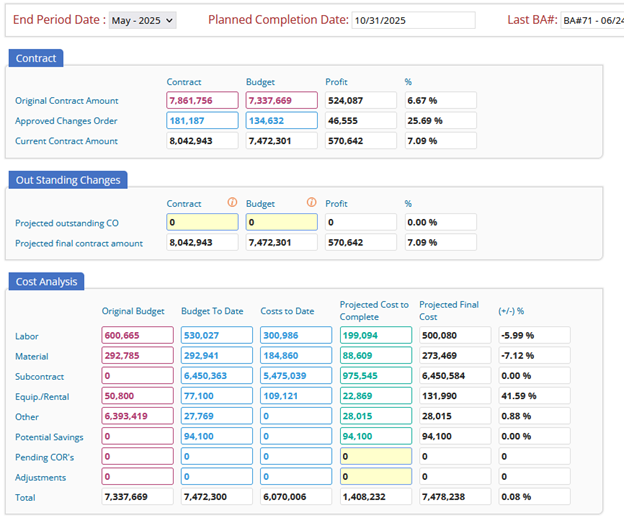
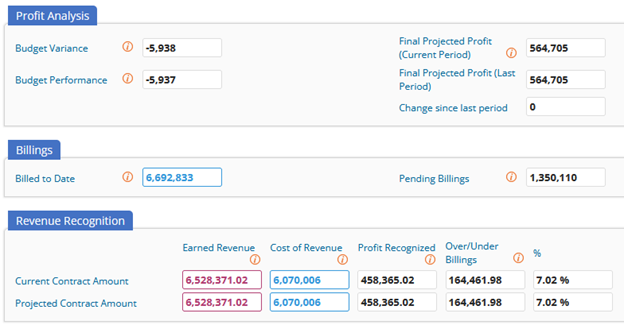
Job costing is a fundamental financial and project management process for construction companies. It enables detailed tracking of all costs associated with a specific job or project, ensuring accurate budgeting, efficient resource allocation, and profitability analysis.
Most construction accounting systems support job costing and allow you to assign a cost code and cost type to each transaction. The cost codes are used to link the accounting transactions to the project budgets so variences can be identified. Adiona imports the cost information from your accounting system to analyze project costs and profitability.
Cost Analysis
Original Budget
Budget-to-Date
Cost-to-Date
Projected Cost to Complete
Work-in Progress (WIP)
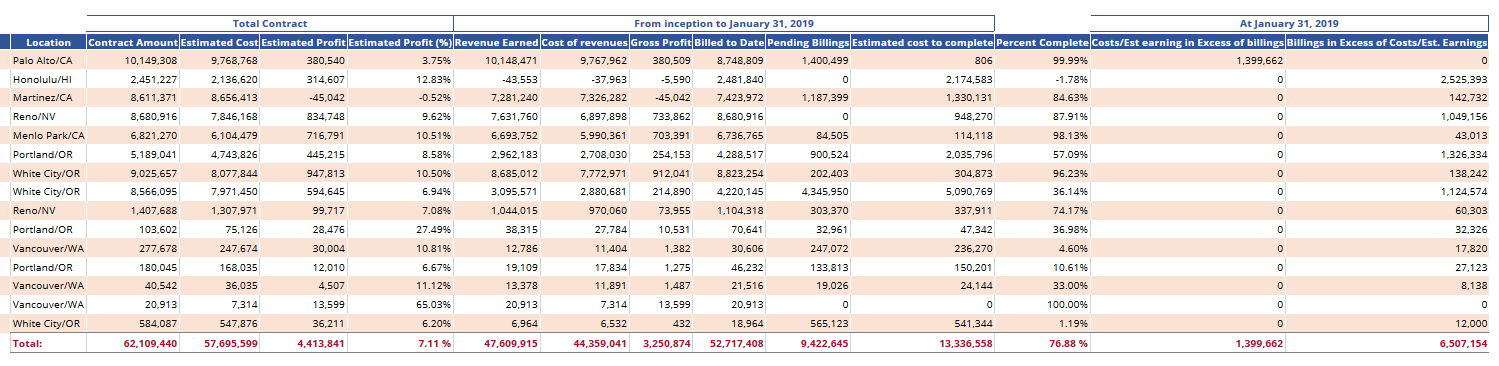
Profit Analysis